
How do I embed the FluidGrids workflow builder inside my own product?
FluidGrids lets you embed its visual workflow engine directly into your SaaS product using a native React SDK rather than an iframe.
About this answer — Produced by our own assistant on 24 September 2026 from our published documentation. The pages it drew on are linked under the answer. It is generated text, not a statement from a person — where it and a linked page disagree, the page is right.
Answer
FluidGrids[1] lets you embed its visual workflow engine directly into your SaaS product using a native React SDK rather than an iframe. The builder renders inside your own application shell under your existing routing and styling. Authentication is handled by your host application minting tokens that the SDK forwards to the platform API to enforce permissions.
As detailed in the FluidGrids Embed Workflow Builder SDK guide[2], the frontend SDK supports four integration tiers:
- Standalone builder component: Mount a single drop-in builder component with a workspace ID, auth token, and API endpoints to render the canvas, node palette, validation, and logs.
- Headless core with shared provider: Decouple the data layer to let multiple SDK components share a single client instance.
- Full routed module: Mount a complete workflow section—including the workflow list, builder, run history, and settings—under any route in your application (such as
/automations). - À-la-carte components: Embed specific pieces, such as execution logs, templates galleries, or connector settings, to match your custom product architecture.
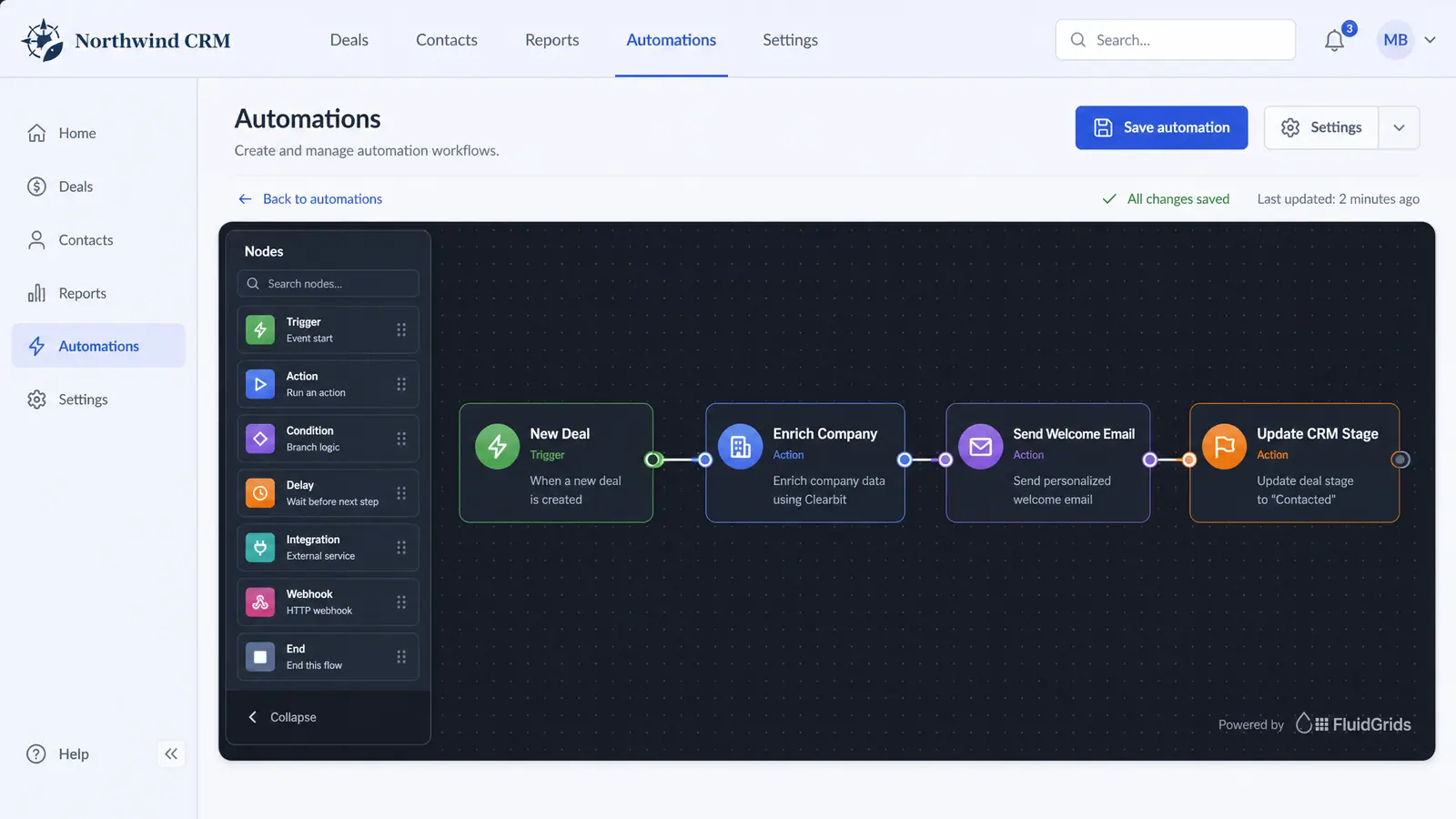
Configuration is prop-driven, supporting custom callbacks on saves and runs, configurable chrome, and a view-only mode for embedding live, read-only execution progress, as illustrated in the FluidGrids Embedded Workflow Builder concept[3].
 (opens in a new tab)
Illustration of the concept, not a screenshot of the actual product — Embedded Workflow Builder[3]
(opens in a new tab)
Illustration of the concept, not a screenshot of the actual product — Embedded Workflow Builder[3]
For implementation assistance or consulting on embedding the SDK, explore FluidGrids Services[4].
Sources
The pages this answer was drawn from.
- AI-Powered Visual Workflow Automation Platform | FluidGridsfluidgrids.ai(opens in a new tab)
- The whole builder is a React component — FluidGrids Use Casesfluidgrids.ai(opens in a new tab)
- Embedded Workflow Builder — Concept | FluidGridsfluidgrids.ai(opens in a new tab)
- Services - Consulting & Integration | FluidGridsfluidgrids.ai(opens in a new tab)