
Datasinks and Live Dashboards
End a workflow with a datasink node and its output flows into a live dashboard that refreshes on a schedule.
These images are illustrations of the concept, not screenshots of the actual product.
Overview
Datasinks turn a FluidGrids workflow into the data pipeline behind a dashboard. Instead of exporting spreadsheets or maintaining a separate ETL job, the last step of a workflow pushes its result to a named datasink in BigConsole, and any dashboard that reads from that key refreshes as new output arrives.
The concept addresses a familiar gap. Operational numbers tend to live in databases and SaaS tools that were never meant to be charted together, so teams fall back on nightly exports, brittle scripts or a queue of requests to a data team. Here, extraction, filtering, aggregation and delivery sit in one visual workflow that the people who own the numbers can read and change themselves.
The first illustration shows the cause. A four-step pipeline on the builder canvas pulls orders from Postgres, keeps only paid orders, aggregates daily revenue and ends in a selected BigConsole DataSink node. Its Node Details panel lists the datasink operations (post, upsert, append and delete), a copyable datasink key, a refresh schedule and a note that the node needs no manual input because it collects the previous node's output automatically, with a JSON preview of that payload. The second illustration shows the effect: a live revenue dashboard that names its source key, says when it last updated and traces the source workflow from schedule to datasink, above KPI cards, a thirty-day trend, channel and hourly breakdowns, a top-products table and a regional split.
Datasinks complement the built-in workflow analytics. Those measure how healthy the automations are; this concept puts a workflow's business output on screen. Because the pipeline is an ordinary workflow, the design lets it inherit everything else FluidGrids provides, including schedules, versioning, run history and retries, so a broken dashboard can be traced back to a specific run and step.
What this concept shows
- A BigConsole DataSink node that closes out any workflow on the canvas
- Four datasink operations: post, upsert, append and delete data
- A keyed destination, so each dashboard reads from a named datasink
- Automatic collection of the previous node's output, with a JSON payload preview
- A refresh schedule on the node, shown in the design as every five minutes
- A dashboard header that shows the source key, last update time and the lineage of the feeding workflow
- KPI cards, a time-series chart, channel bars, an hourly heatmap, a product table and a regional breakdown in one view
How it works
- Build or open a workflow that extracts and shapes the data; in the illustration, a Postgres query, a paid-orders filter and a daily revenue aggregate.
- Add the BigConsole DataSink node as the final step and choose an operation such as post, upsert, append or delete.
- Enter the datasink key that names the destination and set how often it refreshes.
- Check the auto-collected payload preview to confirm the previous node's output is what the dashboard should receive.
- Save and deploy the workflow so it runs on its schedule.
- Open the live dashboard, which shows the source key, last update time and workflow lineage above the charts.
Who it's for
- Data and analytics teams
- Revenue and business operations leads
- Finance and business analysts
- Automation builders who own reporting pipelines
Illustrations
2 illustrations of this concept. Select one to view it full size.
Configuring a Datasink Node on the Canvas
The illustration shows the FluidGrids builder with a sample Daily Revenue Pipeline workflow open and marked Active, with undo, redo, Save and Deploy controls in its header. On the canvas, four connected nodes each carry a success check: a Postgres node that extracts orders, a Filter node for paid orders only, an Aggregate node that computes daily revenue, and a highlighted BigConsole DataSink node. The Node Details panel on the right shows a connected status for the destination, an Operation dropdown open on post, upsert, append and delete options, a copyable DataSink key field, a refresh schedule chip and a Time to Live setting. An information note explains that no manual input is needed because the node collects the previous node's output automatically, and a JSON preview shows the sample payload with date, revenue, order count, currency, source and timestamp fields. Canvas tools, a minimap and zoom controls frame the graph.
Live Dashboard Fed by a Workflow
This illustration shows the other end of the datasink: a Revenue Ops live dashboard inside FluidGrids, with Analytics selected in the sidebar. The header states when the data last updated and names the source datasink key, while a Source Workflow strip traces the pipeline from Schedule to Postgres to Transform to DataSink, with a note that it updates every five minutes. Four KPI cards show revenue, orders, average order value and refund rate, each compared with the previous day. Below sit a thirty-day revenue area chart with a daily selector, a bar chart of orders by channel and a heatmap of orders by hour across the week. A Top products table lists orders, revenue, share of revenue and a thirty-day trend sparkline, next to a revenue-by-region donut and table. A closing banner makes the point that a workflow paints the dashboard without a separate ETL effort. All figures are sample data.
Topics
- workflow to dashboard
- datasink node
- live dashboard from a workflow
- no-code ETL pipeline
- stream workflow output to a dashboard
- BigConsole datasink
- scheduled data pipeline
- revenue dashboard automation
- visual ETL workflow
- upsert data into a dashboard
Related concepts
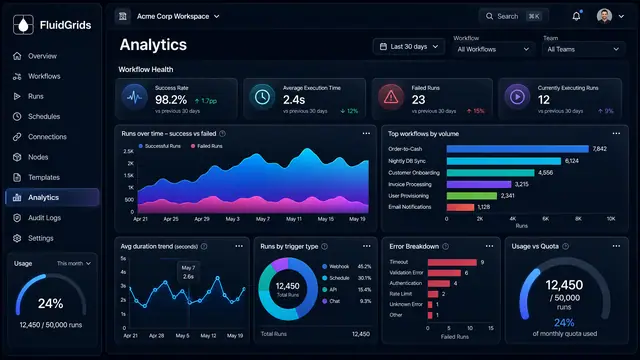
Analytics and Operational Health
Measure success rates, durations, error types and live worker health across every workflow in one place.
3 illustrations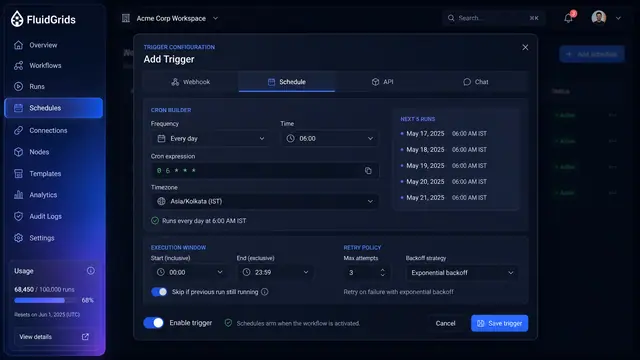
Triggers, Schedules and Webhooks
Decide what starts a workflow — a cron schedule, an incoming request, an API call or a chat message — and keep every trigger under control.
3 illustrations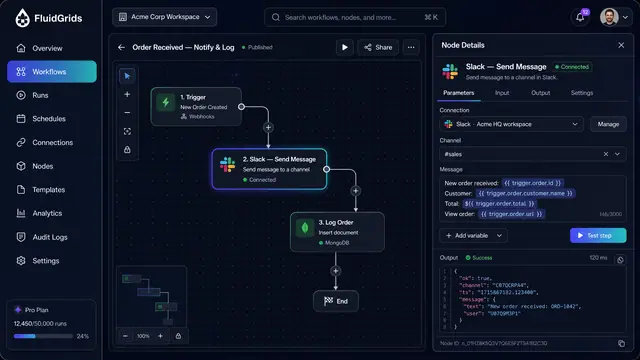
Node Configuration, Data Mapping and Code
Configure a step against a saved connection, map fields between services by dragging lines, and drop into sandboxed code when needed.
3 illustrations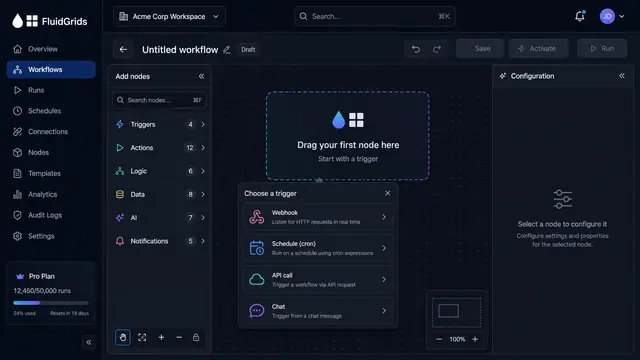
Visual Workflow Builder
Draw an automation on a canvas - trigger, branches, connectors and merges - then watch a test run light the same picture up step by step.
4 illustrations
Part of industry solutions
This concept appears in cross-product solutions on burdenoff.com — see how it works alongside other Burdenoff products to solve a problem in that industry.

Industry solution
Pharma, Biotech & Life Sciences
Runs the approved site-level queries on a schedule and ends in a datasink node, so aggregated study metrics land in a live console.
See the solution(opens in a new tab)
Industry solution
Food, Beverage & Restaurants
Ends each nightly feed of POS sales, delivery orders, supplier invoices, counts and approved hours in a keyed BigConsole data sink, so the consoles refresh on schedule.
See the solution(opens in a new tab)
Industry solution
Manufacturing
Ends each plant data workflow with a BigConsole data sink node, so refreshed figures are designed to reach the console on a schedule without exports.
See the solution(opens in a new tab)
Industry solution
Logistics & Supply Chain
A scheduled workflow that ends in a datasink node and pushes settled shipment, exception and invoice rows into BigConsole.
See the solution(opens in a new tab)
Industry solution
Construction & Engineering
Pipelines that end in a datasink node, so lookahead, crew, equipment, delivery and carbon data land in BigConsole on a schedule instead of in a month-end spreadsheet.
See the solution(opens in a new tab)
Industry solution
Automotive & Mobility
Ends each daily collection workflow with a datasink node, so plant, logistics, fleet, device and workforce figures are pushed into BigConsole on a schedule.
See the solution(opens in a new tab)
Industry solution
Telecom & Network Operators
The hand-off from workflow to console: a workflow ends in a BigConsole data sink step, which is how outage minutes, speed tests and care-contact reasons would reach the network-experience console.
See the solution(opens in a new tab)
Industry solution
Banking & Financial Services
Ends the month-end workflow with a BigConsole DataSink node, so the aggregated, governed figures land in a keyed sink that the board risk console reads.
See the solution(opens in a new tab)
Industry solution
Insurance
Pushes each crop notice, appraisal status and dispute into a keyed BigConsole datasink, so the program manager's county board stays current.
See the solution(opens in a new tab)
Industry solution
Consulting, Accounting & Agencies
Ends the daily billing workflow in a datasink node, so WIP, collection and capacity data flows into BigConsole on a schedule.
See the solution(opens in a new tab)
Industry solution
Marketing & Advertising
Collects daily spend, delivery and order data on a schedule and lands it in keyed BigConsole datasinks that the pacing console reads.
See the solution(opens in a new tab)
Industry solution
HR, Staffing & Workforce
Ends the nightly expiry workflow in a BigConsole data sink node with its own refresh schedule, so alerts always read current certificate data.
See the solution(opens in a new tab)
Industry solution
Retail & E-commerce
Ends each collection workflow in a datasink node, so spend, order and cost rows refresh in BigConsole on a schedule.
See the solution(opens in a new tab)
Industry solution
Real Estate & Property
Ends each collection workflow in a BigConsole DataSink node that the NOI console reads on a schedule.
See the solution(opens in a new tab)
Industry solution
IT, Cloud & Managed Services
Ends the monthly allocation workflow in a data sink node, so the numbers land in BigConsole on a schedule instead of in an email attachment.
See the solution(opens in a new tab)
Industry solution
Government & Public Sector
The monthly workflow that pushes ledger totals from EcoImpactHub into the council console's data sink.
See the solution(opens in a new tab)
Industry solution
Non-profits & Associations
Ends the nightly roll-up of giving, renewals, volunteer hours and outcomes in a datasink node, so the board console is designed to refresh without manual exports.
See the solution(opens in a new tab)
Industry solution
Media & Entertainment
Ingests partner and platform revenue files on a schedule and delivers the normalized rows to BigConsole through a datasink.
See the solution(opens in a new tab)
Industry solution
Travel & Hospitality
Nightly workflows that gather each property's occupancy, rate, out-of-order and labor figures and post them to keyed datasinks that BigConsole reads.
See the solution(opens in a new tab)
Industry solution
Sports, Esports & Fitness
Scheduled workflows call each product's API and write participation, ticketing and training figures into datasinks that refresh the console.
See the solution(opens in a new tab)
Industry solution
Fashion & Lifestyle
Is designed to land order, stock and return rows in BigConsole datasinks on a schedule, so the console refreshes without anyone exporting a file.
See the solution(opens in a new tab)
Industry solution
Events & Experiences
Is designed to push per-station scan counts into the BigConsole datasink the gate alert watches, on a one-minute schedule.
See the solution(opens in a new tab)
Industry solution
Aviation & Airports
The workflow that ends in a BigConsole datasink, so serviceable counts and departures reach the turnaround console.
See the solution(opens in a new tab)
Industry solution
Data Centers & Colocation
Collects building management and power monitoring readings and ends each workflow in a BigConsole data sink, so every alarm and reading has one home.
See the solution(opens in a new tab)
Industry solution
Senior Living & Home Care
The workflows that end in datasink nodes, carrying roster, visit, training, equipment and trip figures into BigConsole on a schedule.
See the solution(opens in a new tab)
Industry solution
Childcare & Early Learning
A workflow ending in a BigConsole datasink node, shown on a revenue example. It is designed to carry each center's tuition, claim and failed-payment results to the owner's console.
See the solution(opens in a new tab)
Industry solution
Public Safety & Emergency Services
The workflow that ends in a data sink node and keeps the response-time console current from closed incident records.
See the solution(opens in a new tab)
Industry solution
Professional Bodies & Trade Associations
Ends the survey workflow in a datasink node, so each firm's answers land in the benchmark console's data sink as they arrive.
See the solution(opens in a new tab)
Industry solution
Venture Capital & Private Equity
Ends the monthly collection workflow with a BigConsole datasink node, so validated figures land in the sink the portfolio console reads.
See the solution(opens in a new tab)
Industry solution
Small Businesses & Startups
Ends each collection workflow in a datasink node, so upcoming charges, sales and payroll figures are designed to refresh in BigConsole each morning.
See the solution(opens in a new tab)
Industry solution
Transportation & Mobility
Ends each collection workflow in a datasink, so the day's service, maintenance, charger and fare records land in one place for BigConsole.
See the solution(opens in a new tab)
Industry solution
FMCG & Consumer Goods
Ends the distributor workflow in a data sink node, so secondary sales and stock cover refresh on a live console on a schedule.
See the solution(opens in a new tab)
Industry solution
Biotechnology & Genomics
Is designed to carry each finished run's lane results from the demultiplexing summary into a BigConsole data sink that feeds the sequencing core's live console.
See the solution(opens in a new tab)
Industry solution
Accounting, Tax & Audit
Ends the morning close workflow in a datasink node, so checklist, reconciliation and schedule data refresh the close console on a schedule.
See the solution(opens in a new tab)
Industry solution
Semiconductors & Electronics
Ends a workflow in a BigConsole data sink node, the built-in way for partner and tester yield summaries to reach a console on a schedule.
See the solution(opens in a new tab)
Industry solution
Defense Industry & Sustainment
A workflow that ends in a BigConsole datasink node; here, collecting readiness, turnaround and shipment status into the month's figures.
See the solution(opens in a new tab)
Industry solution
Mining & Metals
Ends each collection workflow in a datasink node, so dispatch, plant and lab figures are designed to land in BigConsole on a schedule without anyone exporting them.
See the solution(opens in a new tab)
Industry solution
Waste Management & Recycling
The workflow that gathers scale tickets, load audits, bale weights and line-stop minutes and pushes them into the BigConsole data sinks behind the recovery facility console.
See the solution(opens in a new tab)
Industry solution
Publishing & Information Services
Collects paywall, billing and newsletter figures each night and writes them, with each save's result, into the BigConsole datasinks behind the console.
See the solution(opens in a new tab)
Industry solution
Religious & Community Organizations
A workflow that ends in a BigConsole data sink on a refresh schedule, the kind designed to carry the giving desk's gift and pledge records to the finance committee's console.
See the solution(opens in a new tab)
Industry solution
Beauty & Personal Care
The workflow that totals each day's sales by location and stylist and writes them to a BigConsole datasink for the owners' board.
See the solution(opens in a new tab)
Industry solution
Home & Consumer Services
Ends the job close-out workflow with a data sink, so each closed job's price, commission, re-clean cost and zone reach the owner's console on a schedule.
See the solution(opens in a new tab)
Industry solution
Security & Facility Management
Ends each workflow in a BigConsole data sink, so job clocks, patrol results, staffing, inspections and client decisions land in the review console on a schedule rather than in a monthly export.
See the solution(opens in a new tab)