
Triggers, Schedules and Webhooks
Decide what starts a workflow — a cron schedule, an incoming request, an API call or a chat message — and keep every trigger under control.
These images are illustrations of the concept, not screenshots of the actual product.
Overview
Triggers, Schedules and Webhooks covers everything that decides when a workflow starts. A graph on the canvas is only half an automation; the other half is the arrangement that fires it at six every morning, or the moment an external system posts an event, or when a person sends a message. The concept gathers those choices into one trigger surface and then gives scheduled and event-driven work its own operational views.
The problems here are familiar to anyone who has run automations at scale. Cron syntax is easy to get subtly wrong and hard to read back. Overlapping runs pile up when yesterday's job has not finished. Time zones turn a simple daily job into an argument. And inbound webhooks fail silently: a signature mismatch or an expired secret returns an error to a sender nobody is watching, and the workflow simply never runs.
The illustrated experience addresses each of those in turn. A trigger dialog puts webhook, schedule, API and chat side by side as tabs, and the schedule tab pairs a plain-language frequency builder with the generated cron expression, an explicit time zone, a readable confirmation line and a preview of the next five run times. Below it sit the guardrails: an execution window with inclusive start and exclusive end, a switch to skip a run while the previous one is still going, a retry count and a backoff strategy, and a note that schedules only arm once the workflow itself is activated.
A scheduler dashboard then treats schedules as fleet rather than as settings. A timeline strip lays out the next several hours of upcoming executions, while a filterable table lists each schedule with its cron expression, a human-readable translation, its time zone, last and next run, and an enable switch — so a failed nightly job stands out immediately. A side panel shows the dependency graph of a multi-stage pipeline and a resource-conflict summary. For inbound events, a webhook trigger page exposes the endpoint URL, a masked signing secret and the authentication method, then logs every delivery with source, event type, validation result, linked run, status, size and duration, with a detail panel that reveals the exact request and response for a failed call and a per-delivery retry.
Together these views keep the answer to "why did this not run?" one click away, and they hand straight over to run history, connections and publishing for everything that happens afterwards.
What this concept shows
- One trigger dialog with tabs for webhook, schedule, API and chat starts
- A frequency-and-time builder that generates the cron expression, with a copy action and an explicit time zone selector
- A plain-language confirmation of the schedule plus a preview of the next five run times with dates
- Execution-window bounds and a skip-if-still-running switch to stop overlapping runs
- A retry policy with a maximum attempt count and a backoff strategy, set where the trigger is defined
- A scheduler timeline of upcoming executions for the next twelve hours alongside a filterable schedule table with per-row enable switches
- A dependency graph and resource-conflict summary for multi-stage pipelines
- A webhook page with endpoint URL, masked signing secret and a choice of signature, key or allow-list authentication
- A delivery log with validation results, linked runs, status codes, payload sizes and durations, plus a detail view and per-delivery retry
How it works
- Open the trigger dialog on a workflow and choose how it should start: an incoming request, a schedule, an API call or a chat message.
- For a schedule, pick the frequency and time, confirm the generated cron expression and set the time zone, then check the preview of the next runs.
- Set the guardrails — execution window, skip-if-still-running, retry attempts and backoff — then enable and save the trigger.
- Activate the workflow so the schedule arms, and watch it appear in the scheduler timeline and table.
- Use the scheduler dashboard to filter schedules, read their human-readable cadence, spot a failed last run and toggle any schedule off.
- For inbound events, share the webhook endpoint, set the authentication method and keep the signing secret hidden until needed.
- Inspect the delivery log when a sender reports a problem, open the failed delivery to read its request and response, and retry it.
Who it's for
- Automation and operations engineers who own recurring jobs
- Integration developers wiring external systems into workflows over webhooks
- Platform and site-reliability teams watching scheduled pipelines and conflicts
- Support and service teams that need to know why a run never started
Illustrations
3 illustrations of this concept. Select one to view it full size.
Trigger Picker and Cron Builder With Next Runs
This illustration shows an add-trigger dialog opened over the schedules page, which is dimmed behind it. Four tabs offer webhook, schedule, API and chat starts, with the schedule tab selected. A cron builder section pairs a frequency selector and a time selector with the generated cron expression in a copyable field, a time zone selector and a confirmation line restating the schedule in plain language. A panel beside it previews the next five run times as dated entries. Below, an execution window sets an inclusive start and an exclusive end, a switch skips a run while the previous one is still going, and a retry policy sets the maximum attempts and a backoff strategy. A footer holds an enable toggle, a reminder that schedules arm only when the workflow is activated, and cancel and save actions.
Scheduler Dashboard With Timeline and Dependencies
The design envisions schedules as an operations surface. A strip across the top plots upcoming executions for the next twelve hours against hour markers, placing four sample jobs — a daily summary, a reminder, a nightly sync and a quarterly report — at their scheduled times, with a link to a calendar view. Beneath it, a search field and status and time zone filters sit above a table whose columns cover name, cron expression, a human-readable translation, time zone, last run, next run and an enable switch; one sample row shows a failed last run in red while the others show success, and pagination reports the total. A right-hand column shows a dependency graph for a data ingestion pipeline, stacking two extract steps into transform, load, validate and notify, followed by a resource pool summary reporting no conflicts and a utilization bar.
Webhook Trigger With Delivery Log and Retry
This illustration shows a webhook trigger page reached through a schedules breadcrumb. The trigger is marked active and described as receiving posted requests that start the workflow. A configuration block shows the generated endpoint URL with a copy action, a masked signing secret with a reveal control, and an authentication method chosen from signature verification, an API key or an address allow-list. A recent-deliveries table follows, sorted by timestamp, with columns for source address, event type, validation result, linked run, status code, payload size, duration and a per-row retry button; one sample row failed validation with an unauthorized status and no linked run, and pagination sits beside an auto-refresh interval control. A side panel opens that delivery, offering request, response, event and metadata tabs, and showing the request headers, a numbered request payload and a response body carrying a signature-verification error.
Topics
- cron schedule builder
- workflow triggers
- webhook trigger logs
- next run preview
- skip overlapping runs
- retry and backoff policy
- webhook signature verification
- scheduler dashboard
- time zone aware scheduling
- retry a failed webhook delivery
Related concepts
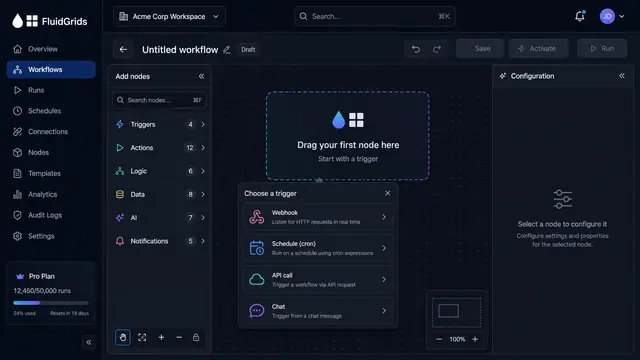
Visual Workflow Builder
Draw an automation on a canvas - trigger, branches, connectors and merges - then watch a test run light the same picture up step by step.
4 illustrations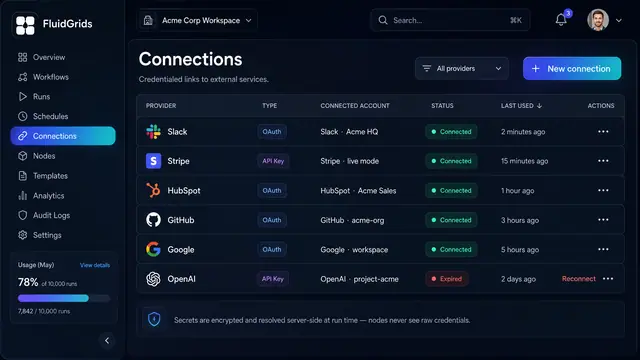
Connections and Credentials
Authorize external services once, reuse them across every workflow, and keep the secrets out of the canvas.
2 illustrations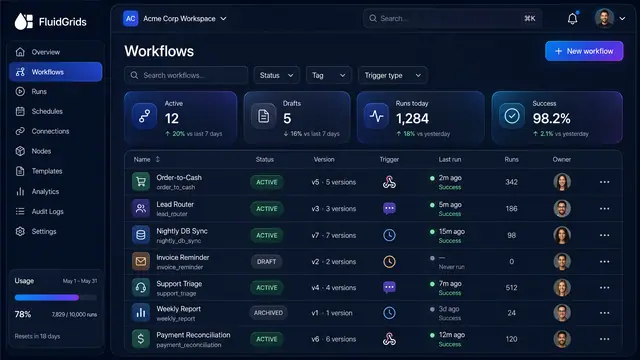
Workflow Library, Versions and Publishing
Track every workflow's status and version, compare and restore past versions, and publish with a pre-flight check that arms triggers.
3 illustrations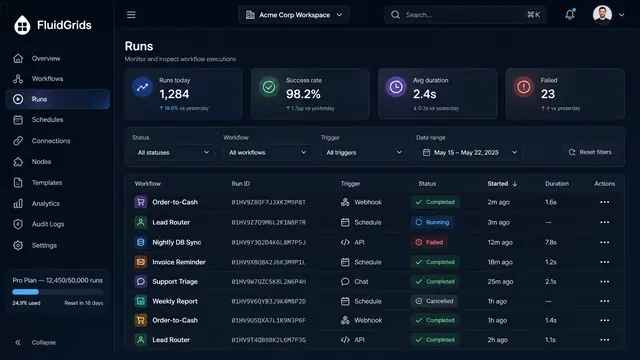
Run History, Inspection and Recovery
Follow every workflow execution node by node, then retry, resume or approve runs from a desktop or a phone.
5 illustrations
Part of industry solutions
This concept appears in cross-product solutions on burdenoff.com — see how it works alongside other Burdenoff products to solve a problem in that industry.

Industry solution
Healthcare Providers
Scheduled reminder and prep-instruction runs before each procedure, plus a webhook from the scheduling system that starts the reschedule and waitlist workflow when a slot opens.
See the solution(opens in a new tab)
Industry solution
Food, Beverage & Restaurants
Receives each delivery channel's order webhook and starts the workflow that maps it to the group's menu and is designed to place it as a Kadaikodi order.
See the solution(opens in a new tab)
Industry solution
Logistics & Supply Chain
Webhook and schedule triggers that receive carrier status pushes and call carrier APIs on a cadence, with retries when a carrier feed misbehaves.
See the solution(opens in a new tab)
Industry solution
Construction & Engineering
Schedules the nightly check for cards expiring within 30 days and routes reminders to subcontractor coordinators and alerts to the superintendent.
See the solution(opens in a new tab)
Industry solution
Telecom & Network Operators
The mains-fail alarm arrives as a webhook that starts the power runbook, and a schedule rechecks battery and fuel levels until mains power returns.
See the solution(opens in a new tab)
Industry solution
Law Firms and Legal Teams
Runs the reminder schedule with retries, and is designed to turn a departure notice from the client's HR team into a preservation alert on the hold.
See the solution(opens in a new tab)
Industry solution
Consulting, Accounting & Agencies
Runs the extension-season chase on a schedule with retries, so reminders go out every few days until an item arrives or the request escalates.
See the solution(opens in a new tab)
Industry solution
Retail & E-commerce
Starts the recovery workflow from a webhook or a short schedule, with a retry policy and an execution window, so every stalled cart is checked before any message goes out.
See the solution(opens in a new tab)
Industry solution
Sustainability & ESG
The daily schedule, with retries, that runs the invoice and fuel-card collection workflow so activity data arrives without anyone forwarding it.
See the solution(opens in a new tab)
Industry solution
Non-profits & Associations
Starts a workflow when the payment processor reports a declined monthly gift, and runs the nightly schedule that brings renewal status in from the membership system.
See the solution(opens in a new tab)
Industry solution
Media & Entertainment
Runs the morning avails check on a schedule and is designed to raise decision cards and promotion holds when a window changes.
See the solution(opens in a new tab)
Industry solution
Fashion & Lifestyle
Starts the exchange workflow when the BotManor agent passes on a size request.
See the solution(opens in a new tab)
Industry solution
Personal Finance
Starts the set-aside workflow when a payment-received event arrives, and runs a scheduled check a few days ahead of each installment date.
See the solution(opens in a new tab)
Industry solution
Aviation & Airports
The daily schedule trigger that checks expiry dates each morning and starts the reminder and refresher workflows before a permit lapses.
See the solution(opens in a new tab)
Industry solution
Maritime, Ports & Shipping
The webhook and schedule triggers that bring each line's and agent's arrival updates in, so a 3 a.m. change starts a workflow instead of waiting in an inbox.
See the solution(opens in a new tab)
Industry solution
Senior Living & Home Care
The daily schedule trigger that starts the expiry check each night, which sends reminders at set intervals and marks lapsed staff as not schedulable for roles that need the credential.
See the solution(opens in a new tab)
Industry solution
Public Safety & Emergency Services
Webhook and schedule triggers that receive unit status changes from the dispatch system, with each delivery logged and retried, so the board stays current.
See the solution(opens in a new tab)
Industry solution
Professional Bodies & Trade Associations
A daily 6:00 AM schedule brings each member's category, band and renewal status in from the membership system and routes the grace-period list onward.
See the solution(opens in a new tab)
Industry solution
Accounting, Tax & Audit
Runs the morning schedule that picks up newly accepted clients and sends each one the transition form, so nothing waits for someone to remember.
See the solution(opens in a new tab)
Industry solution
Defense Industry & Sustainment
The trigger and schedule builder; here, a daily run that checks expiries and visit request deadlines and sends reminders while there is still time.
See the solution(opens in a new tab)
Industry solution
Mining & Metals
Starts the automation designed to post hour meters from fleet dispatch and fault codes from machine health monitoring to AssetHandler, on a schedule or as each fault arrives.
See the solution(opens in a new tab)
Industry solution
Waste Management & Recycling
The 6:00 a.m. schedule that starts the daily check of open manifests, with retries, so reminders go out without anyone having to remember them.
See the solution(opens in a new tab)
Industry solution
Publishing & Information Services
Designed to start the correction workflow from a webhook when a correction is logged, and to run a scheduled check for partners that have not confirmed.
See the solution(opens in a new tab)
Industry solution
Beauty & Personal Care
A webhook or schedule trigger that starts the aftercare workflow, and a daily run for rebook reminders.
See the solution(opens in a new tab)
Industry solution
Security & Facility Management
Webhook and schedule triggers like these are designed to take in checkpoint scans and door alarms, and to run the scheduled check of every tour against its checkpoint list.
See the solution(opens in a new tab)